Download IntercomGo and try it free for 7 days
Full use, no sign-up and no personal data. For Android phones.
DOWNLOAD FOR ANDROIDIntercomGo.apk · 9 MB · version 1.2Install it on both phones that will talk. Installation takes less than a minute.
Step-by-step installation
Real screenshots from a Samsung phone set to Spanish. On other brands and languages the screens may look slightly different.
Tap Download
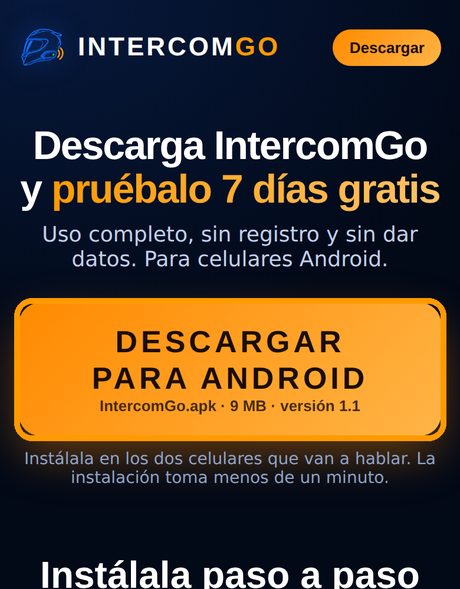
On your phone, on this page, tap DOWNLOAD FOR ANDROID.
Confirm the download
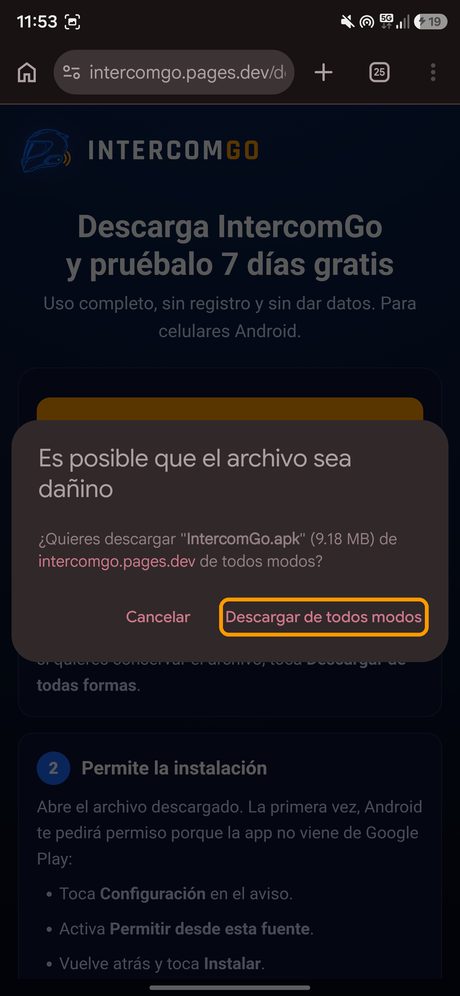
Chrome shows this notice for every app file. Tap Download anyway.
Open the file
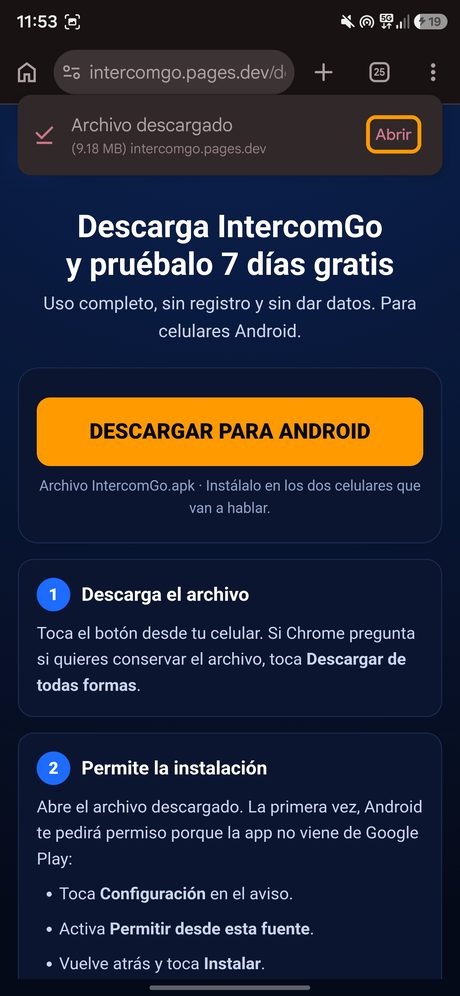
When it finishes, tap Open. You can also find it in your Downloads folder.
Tap Install
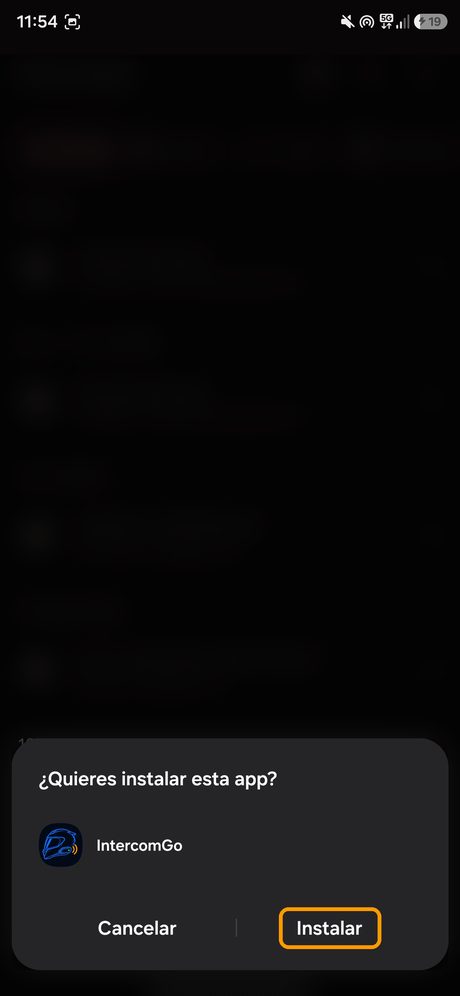
Tap Install. If Android asks for permission, tap Settings, turn on Allow from this source and go back.
Play Protect notice
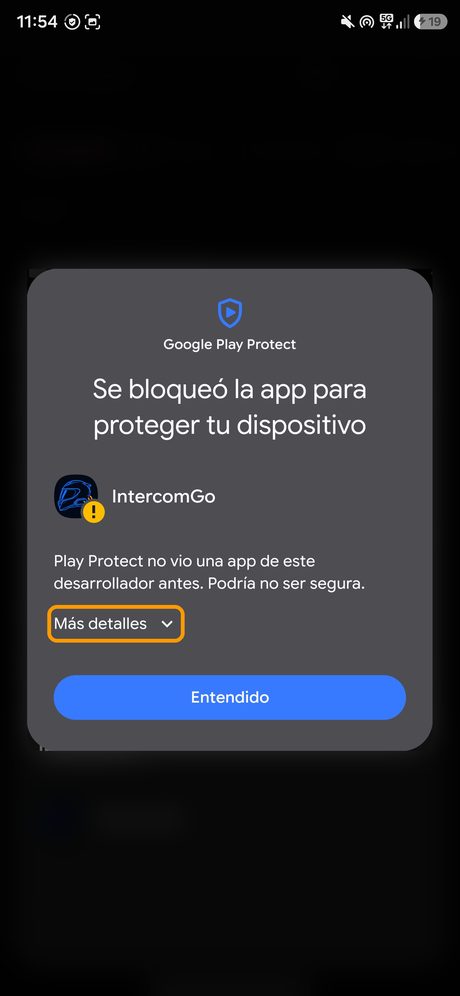
Google shows this notice for new apps that do not come from Play. Tap More details.
Install anyway
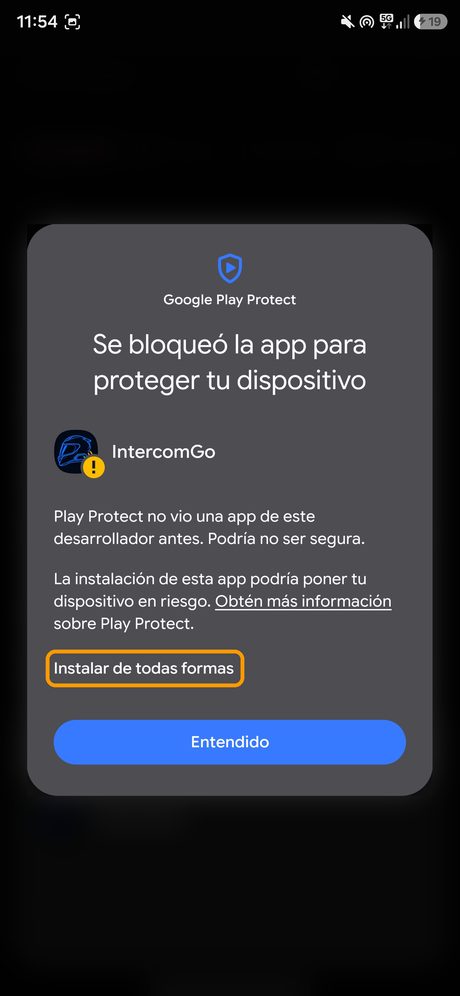
Tap Install anyway. IntercomGo does not record your voice or ask for personal data.
App installed
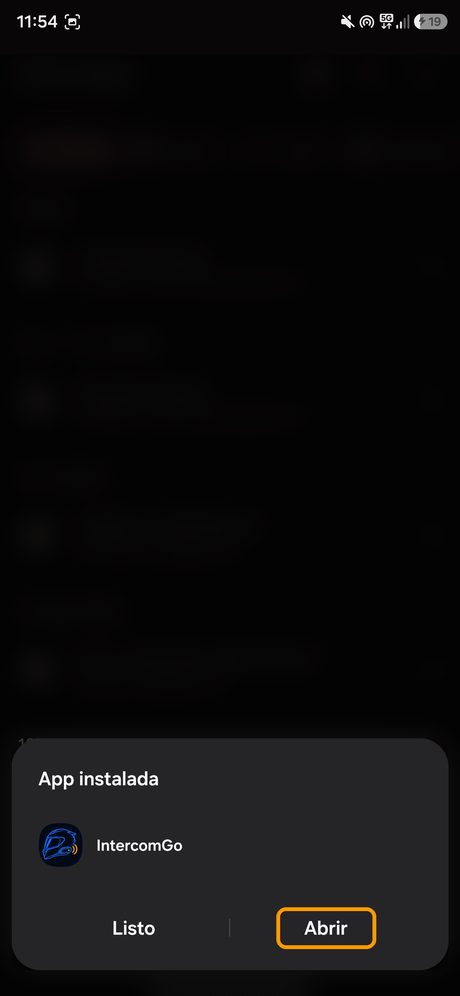
Done! Tap Open to start.
Ride and talk!

Install it on your partner's phone too, connect your earphones and tap SEARCH on both.
Seeing "App not installed"? Another version of IntercomGo is already installed. Uninstall it (press and hold the icon and tap Uninstall), open the downloaded file again and tap Install.
Already have IntercomGo from Google Play? You do not need to download it here: both versions cannot be installed on the same phone at the same time.
Made up your mind? Get PRO at the Limited Edition price.
GET PRO